After hosting more than 280 remote workers and digital nomads in Roma Norte, we have seen the same pattern repeat: guests book a furnished apartment that looks clean and comfortable in the photos, arrive to find the desk is a corner of the dining table, the Wi-Fi router is in a hallway closet, and the only chair is a barstool. They spend the first week finding workarounds, then start asking about coworking memberships.
The workspace setup is not a premium feature. For a stay that lasts more than a weekend, it is the operational baseline. This guide covers what to actually look for.
Why “Wi-Fi included” tells you nothing
Almost every furnished apartment listing in Mexico City says Wi-Fi is included. The phrase means a router exists somewhere in the unit. It says nothing about the following:
- Speed: Is it 10 Mbps or 200 Mbps? Does the speed hold during peak evening hours?
- Router placement: Is it near the desk or across the apartment behind a concrete wall?
- Type: Is it fiber (consistent), cable (generally consistent), or DSL/mobile hotspot (variable)?
- Exclusivity: Is the connection shared with other units or dedicated to the listing?
Before booking any apartment for a remote work stay longer than a few nights, ask the host for the actual download speed from a recent speed test — not the plan’s advertised maximum. There is a meaningful difference between what an ISP sells and what arrives at the router.
At StayWork CDMX, the Roma Norte flagship runs on 200 Mbps fiber, with the router positioned close to the desk. We share the speed test result on request because it is the honest way to set expectations.
The desk question
A laptop on a kitchen island is a temporary fix that becomes physically unsustainable over two to four weeks. The things that make a desk usable for full workdays:
Surface area. You need enough space for the laptop, a notebook, a water bottle, and ideally an external monitor — without reorganizing every time you eat. A dining table technically has the surface but forces you to clear it twice a day.
Chair height and back support. Barstools, dining chairs, and decorative seating were not designed for six- to eight-hour sessions. Back pain from a bad chair during a 30-day stay is not a minor inconvenience.
Monitor at eye level. Laptop screens sit below eye level by default. A week of looking down adds up in neck strain. An external monitor at the right height, combined with a laptop stand and separate keyboard, is the difference between a workstation and a workaround.
Lighting. Natural light from the front is ideal. Light from behind creates screen glare. Many apartments are photographed in flattering afternoon light that turns into a video call problem at 10 AM.
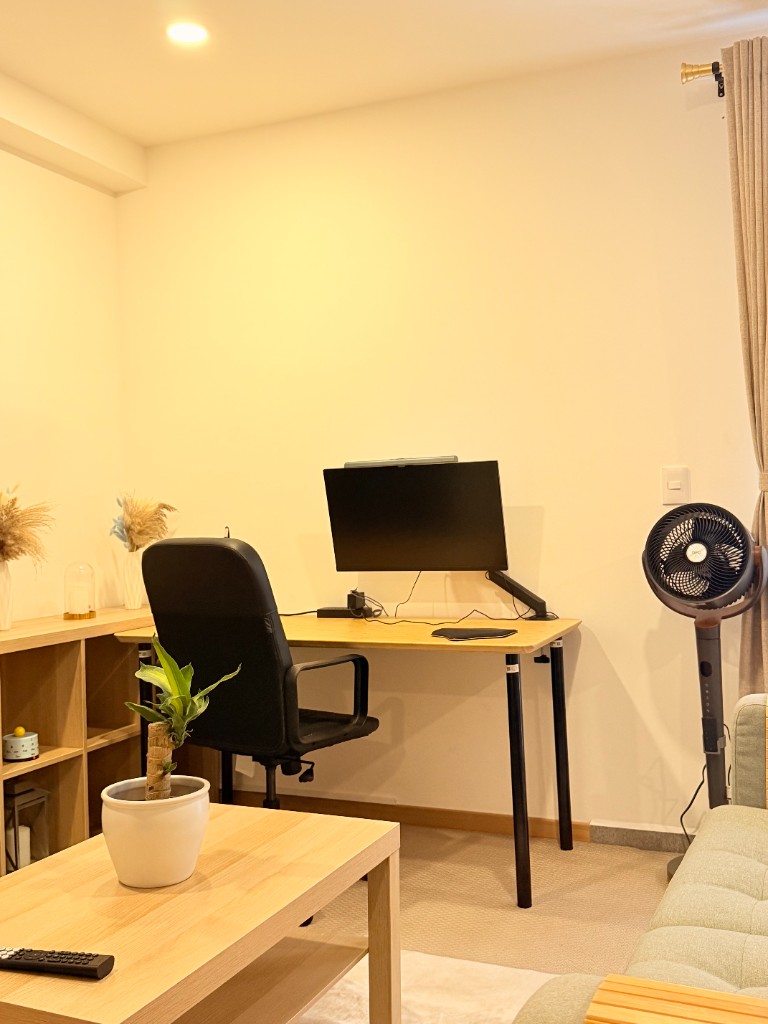
The Roma Norte loft includes a dedicated desk separate from the dining area, an ergonomic chair, and a 27-inch QHD external monitor on a fixed mount. The setup was designed for a full workweek, not a guest room afterthought.
Building amenities that actually matter for focus
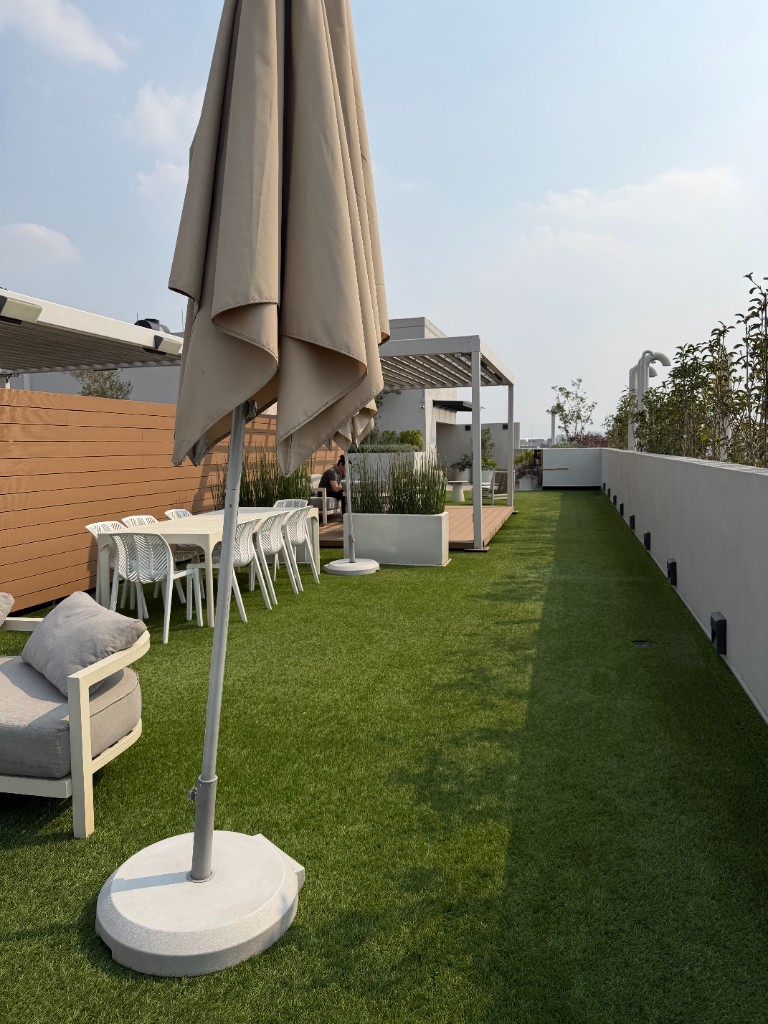
Beyond the apartment itself, building amenities can extend how long a workday stays sustainable.
Rooftop or common areas: A change of scenery for a 30-minute break without leaving the building is useful for deep focus stretches. Standing up, moving briefly, and returning is easier when there is somewhere to go.
Gym access: Exercise during the workday — even 20 minutes — consistently affects afternoon focus. A building gym removes the friction of scheduling a separate gym membership or commute.
Secure entry: Knowing a package or delivery does not require you to be present reduces interruption during calls. Self check-in buildings also mean no coordination cost for late arrivals or early check-outs.
Building Wi-Fi: In some buildings, a shared rooftop or common area Wi-Fi extends your working space within the building envelope without needing a hotspot.
The neighborhood as part of the setup
The apartment workspace works best when the surrounding neighborhood gives you genuine alternatives. Roma Norte delivers this more consistently than most areas in CDMX:
- 8+ specialty coffee shops within a 10-minute walk, most laptop-friendly before noon
- Privat.MX coworking on Colima for days when you need an isolated private room or a physical address for packages
- Parque México and smaller plazas for outdoor breaks without crossing major traffic
For a more detailed breakdown of cafés and coworking in Roma Norte specifically, see the best coffee shops for remote work in Roma Norte guide.
What this looks like in practice
A sustainable remote work day in a well-set-up apartment in Roma Norte:
- Morning: Desk from 8 to 12 (fiber Wi-Fi, external monitor, quiet building)
- Midday: Walk to a café for a change of scenery, or rooftop break
- Afternoon: Back to desk for calls or async work
- Evening: Parque México, dinner nearby, no commute home
This rhythm only holds if the apartment itself supports the desk portion. If the desk setup forces you to spend your mornings at a café every day, you are effectively paying apartment-level rent for a space you use only in the evenings.
Properties with work-ready setups
The Chic Nomad Loft in Roma Norte is the StayWork unit set up specifically for remote workdays — dedicated desk, monitor, fiber internet, rooftop building. It books via Lodgify with live pricing and availability.
For guests looking at digital nomad apartments in CDMX more broadly, see the digital nomad guide and the monthly apartments overview.